Transform it into a hyperkey. Get instant access to text snippets, smart clipboards, markdown conversion, and Apple Shortcuts — all from a single modifier key.
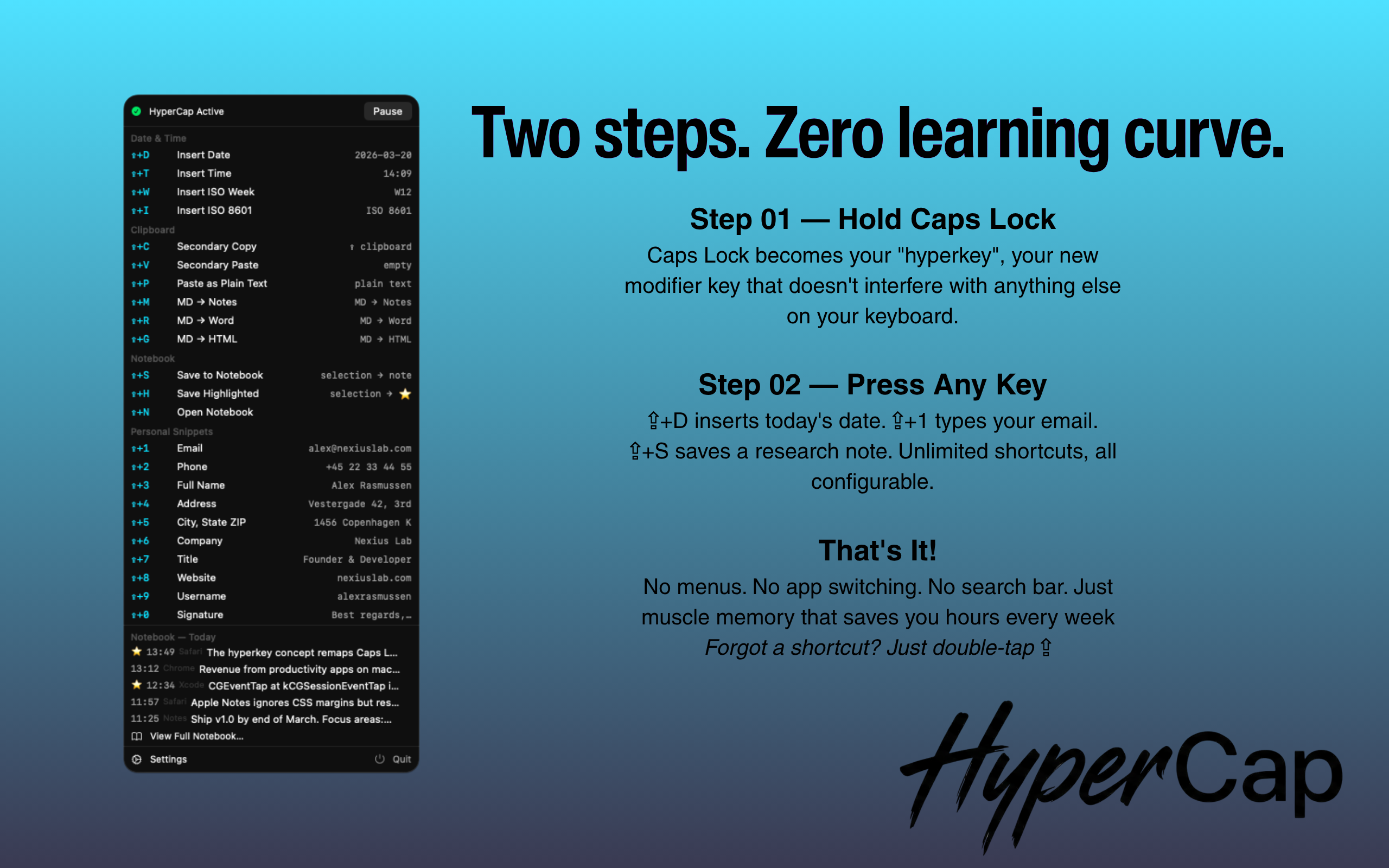
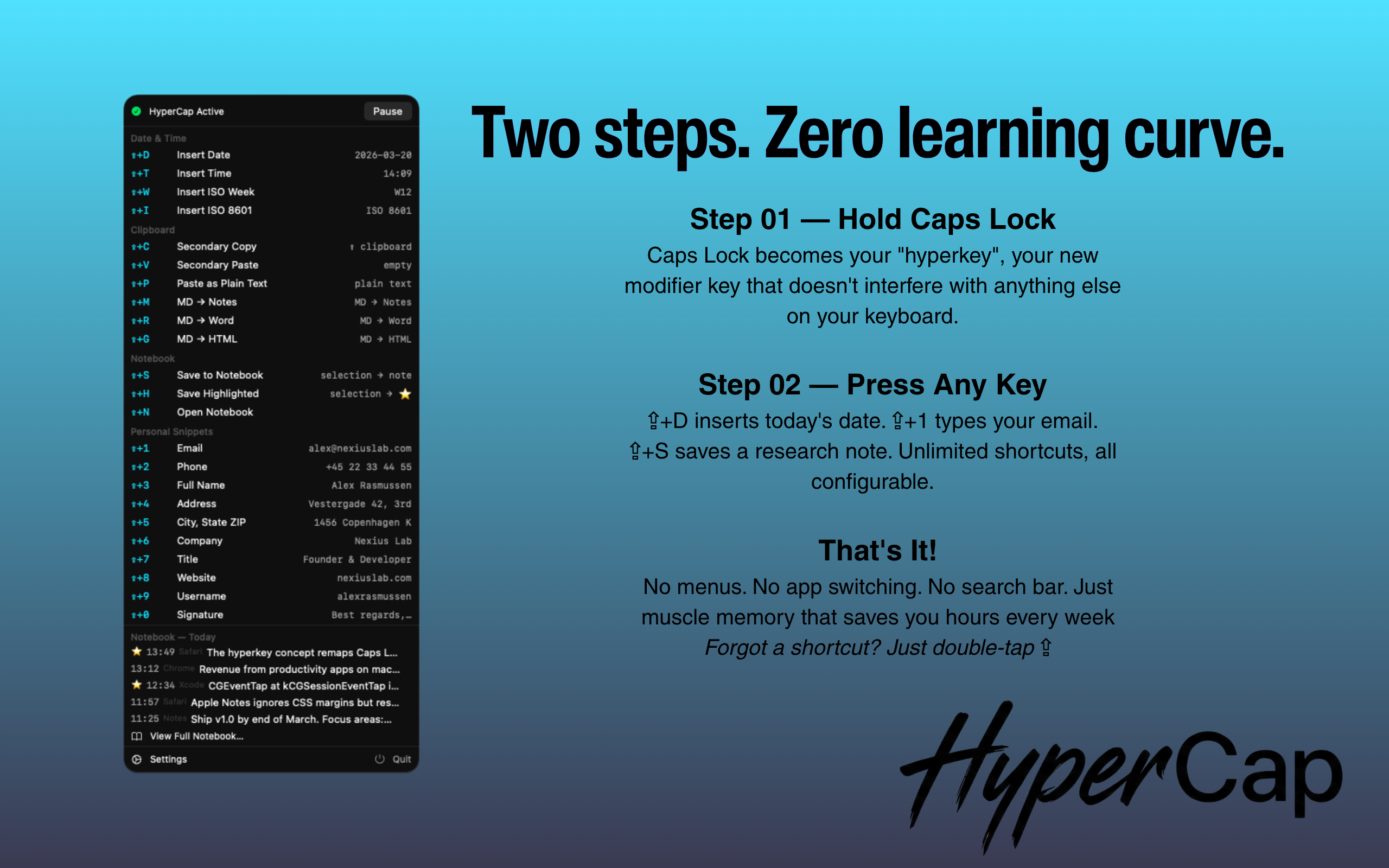
Caps Lock becomes your "hyperkey" — a new modifier key that doesn't interfere with anything else on your keyboard.
⇪+D inserts today's date. ⇪+1 types your email. ⇪+S saves a research note. Unlimited shortcuts, all configurable.
No menus. No app switching. No search bar. Just muscle memory that saves you hours every week. Forgot a shortcut? Just double-tap ⇪.
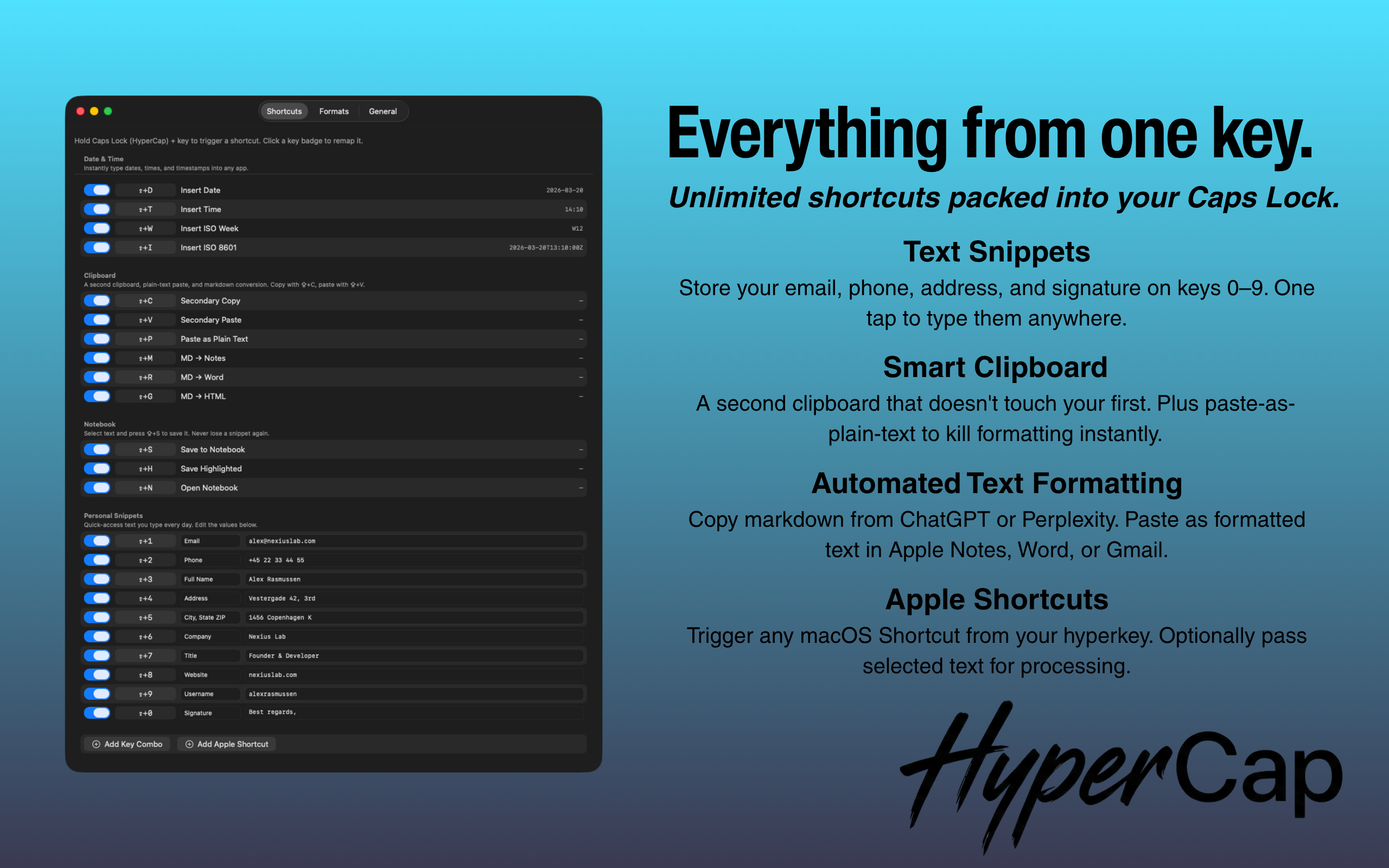
Unlimited shortcuts packed into your Caps Lock. Here's what you get.
Store your email, phone, address, and signature on keys 0–9. One tap to type them anywhere.
⇪+1 … ⇪+0Insert today's date, current time, ISO week, or a full timestamp. Fully customizable formats with live preview.
⇪+D · ⇪+T · ⇪+W · ⇪+IA second clipboard that doesn't overwrite your main one. Plus paste-as-plain-text to strip all formatting instantly.
⇪+C · ⇪+V · ⇪+PCopy markdown from ChatGPT, Claude, or Perplexity. Paste as formatted text — optimized for Apple Notes, Word, or Gmail.
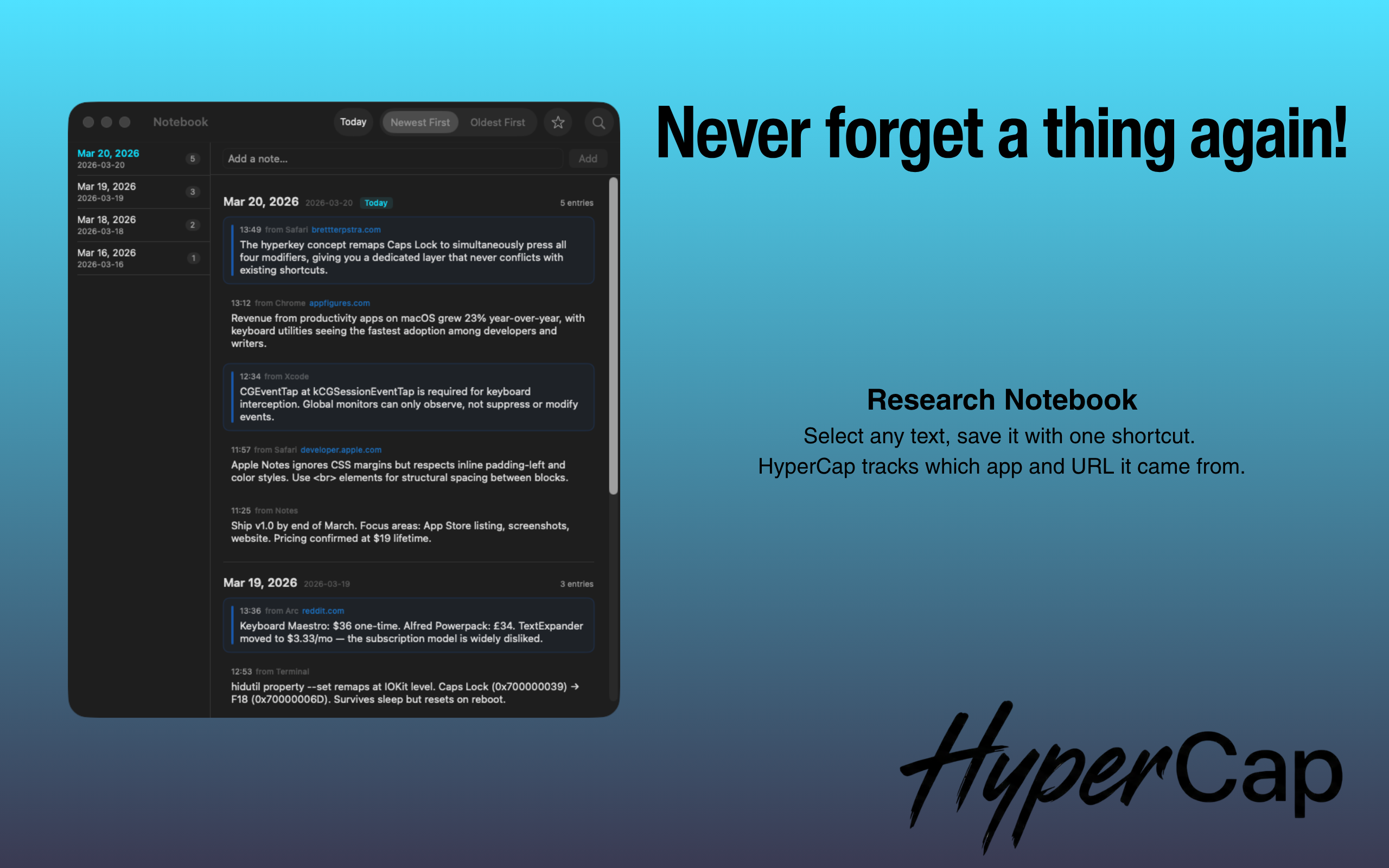
⇪+M · ⇪+R · ⇪+GSelect any text, save it with one shortcut. HyperCap tracks which app and URL it came from. Search and browse by date later.
⇪+S · ⇪+H · ⇪+NTrigger any macOS Shortcut from your hyperkey. Optionally pass selected text for processing — perfect for AI workflows.
Configurable

It's a concept where Caps Lock is remapped to act as a new modifier key — like ⌘ or ⌥, but one that isn't used by any other app. This gives you a dedicated layer of shortcuts that never conflict with existing ones.
Yes, intentionally. Caps Lock becomes the hyperkey — it no longer toggles caps. Most people never use Caps Lock anyway. If you quit HyperCap, Caps Lock returns to normal.
The free Hyperkey app only remaps the key. HyperCap also gives you built-in shortcuts, text snippets, a secondary clipboard, markdown conversion, a research notebook with source tracking, Apple Shortcuts integration, and a quick-access panel. It's a complete productivity toolkit, not just a remap.
Raycast and Alfred are launcher apps — you press a hotkey, type a search query, and pick a result. HyperCap is direct shortcuts — hold Caps Lock + one key, and the action happens instantly. No search, no menus, no popups. Different interaction model, much faster for common tasks.
Yes. HyperCap works at the macOS system level, so shortcuts fire in any application — browsers, editors, email, terminal, everything.
HyperCap never connects to the internet. Your snippets and notebook are stored locally on your Mac. No cloud, no sync, no accounts.
Only Accessibility permission (System Settings → Privacy & Security → Accessibility). This is required for keyboard interception. No other permissions needed.
Yes. You can remap keys, edit snippet text, change date/time formats, add key combos, and add Apple Shortcuts — all from the Settings panel.
14 days free. Then $19 — once, forever. macOS Sonoma or later.
Download Free Trial